How to research wells on your property yourself, for free
Everything we do, you can do. It takes time and patience rather than money. This is the whole process, start to finish, with nothing held back.
California well records are public. There is no charge to search the state map, no charge to open a well's file in the state database, and no account needed for either. Requesting copies of archived documents may involve a duplication fee, which you can ask about before committing to anything.
We sell research services, and we would rather you knew how to do this than felt trapped into paying for it. If you have more time than money, work through this. If you get stuck, the free search on this site does the first two stages instantly.
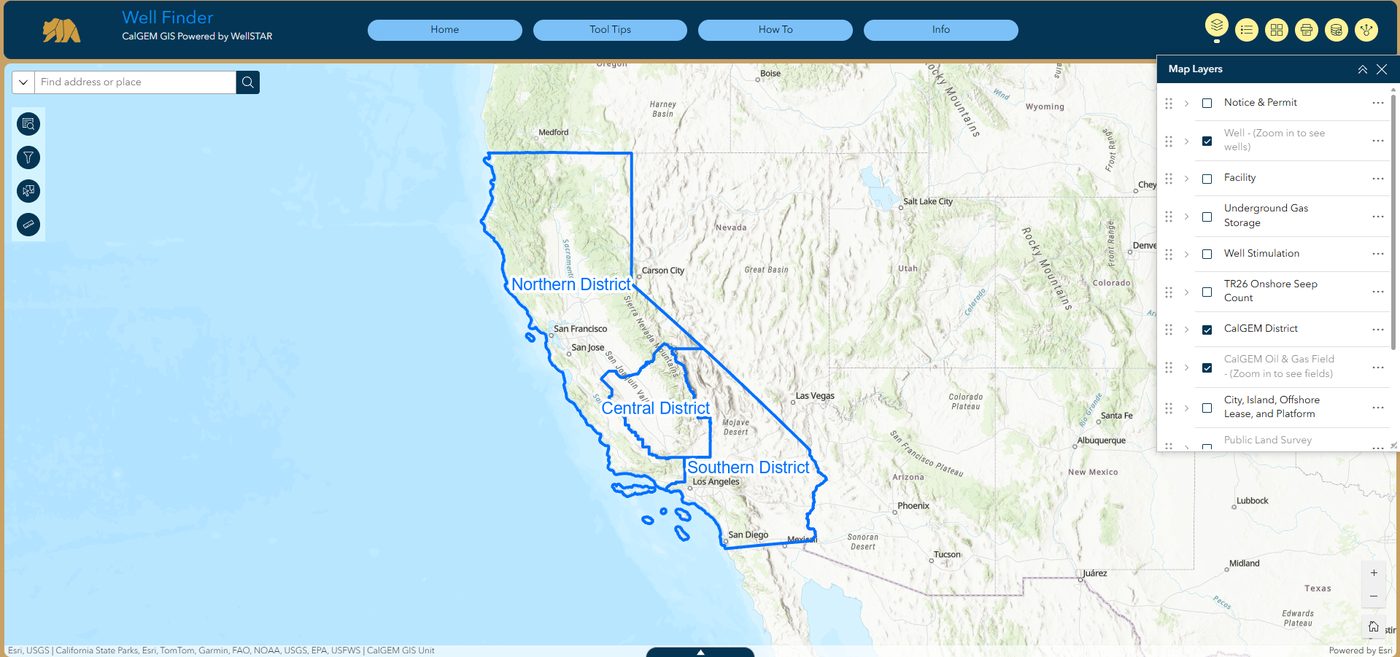
Stage 1 — Find the wells and get their API numbers
Everything downstream depends on the API number, which is the unique identifier for a well in California. Without it you cannot request anything.
CalGEM requires a sign at each well location showing the owner or operator, the lease name and the well number. If a well site near you has no sign, the district office can help identify the operator.
Stage 2 — Open the well and get to its records
Click a well on the map and a panel opens with the operator, lease, well number, API and status. Four links sit at the bottom of that panel. The one you want is View Well Record, which takes you straight to the state's file request search.
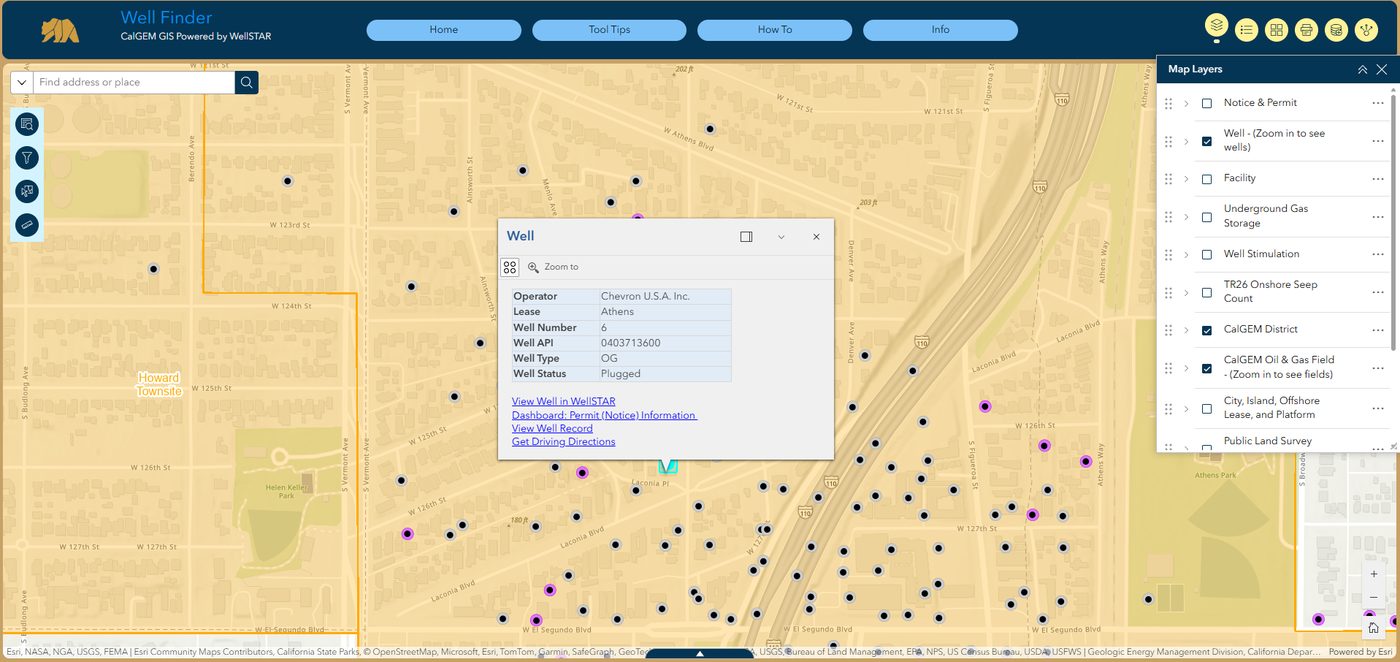
Write down the API. In the example above it is 0403713600. You will need it, and you will need it in a particular format.
Stage 3 — Request the file
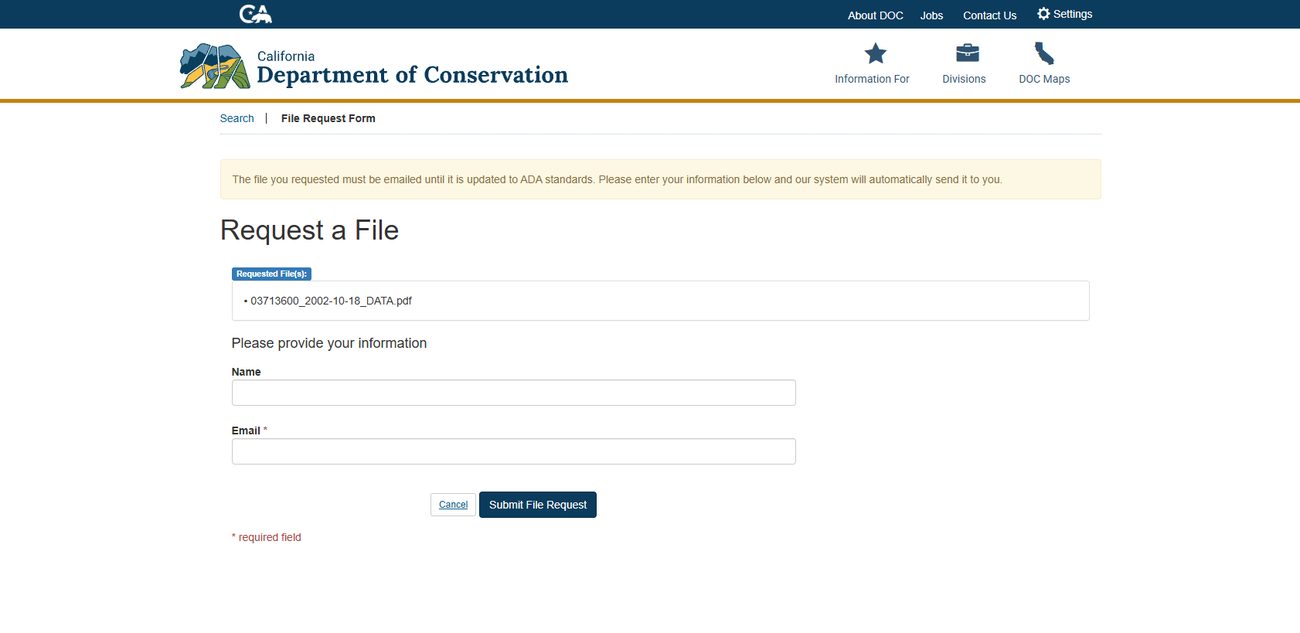
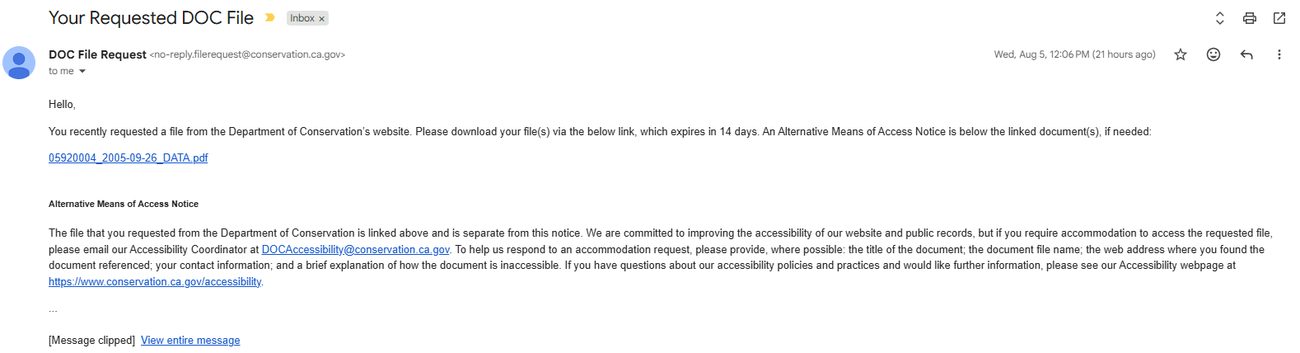
The state runs an automated file request system. It is free, and for wells whose records have been scanned it is far faster than most people expect.
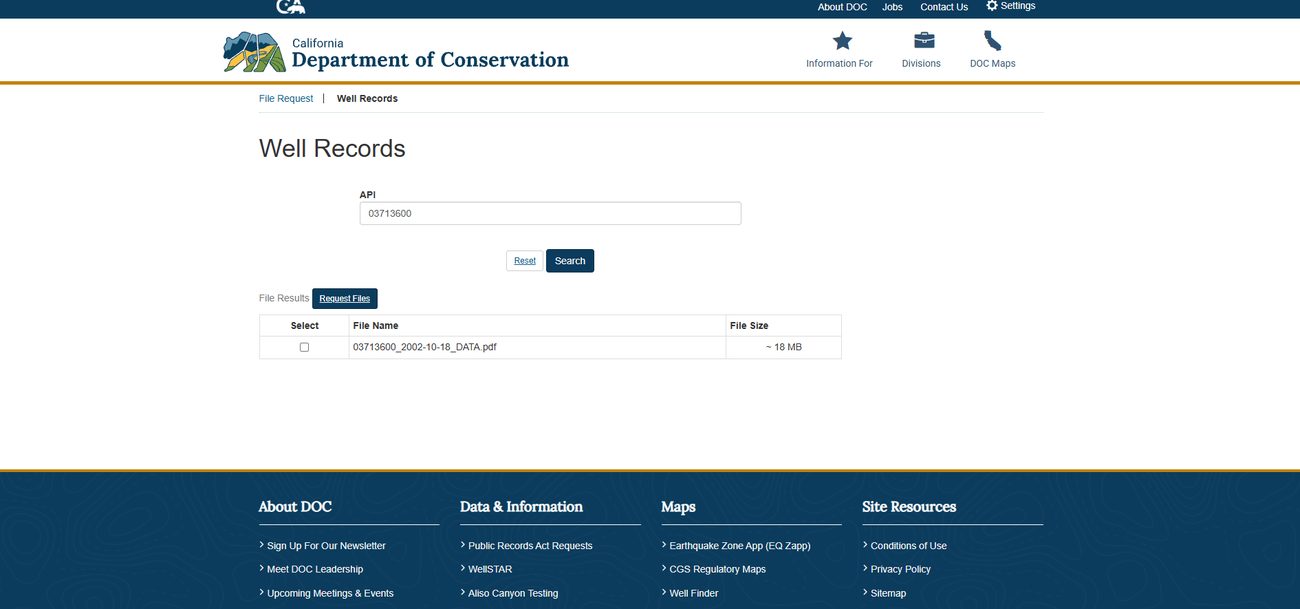
This catches everyone. The full API is 0403713600, but the search box wants
03713600 — without California's 04 state prefix. Enter the
full number and you will get nothing back and assume no records exist.
What you actually get
For a well with scanned records, a single PDF containing everything the state holds on it. The example above is 18 MB. Expect a mix of typed forms, hand-drawn wellbore diagrams and scanned correspondence, in whatever condition it was archived in. Files from the 1920s and 30s can be a single handwritten page.
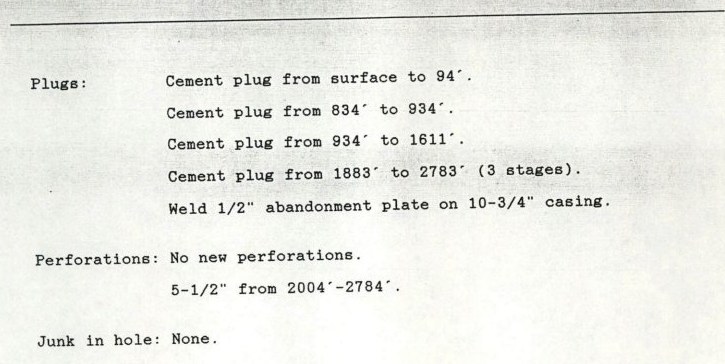
The plugging detail from an abandonment report, pulled through the free process above. This is the section that records what was physically done downhole when a well was sealed. Operator and well identifiers removed.
- Four cement plugs, at
surface–94',834'–934',934'–1611'and1883'–2783', the last placed in three stages. - A half-inch abandonment plate welded onto the 10¾-inch casing.
- Existing perforations at
2004'–2784', with no new ones added. - Junk in hole: none — nothing was left obstructing the wellbore.
- Whether those plug intervals cover every zone that needed isolating, or whether the uncemented sections between them matter for this particular well.
- Whether the work would satisfy the standards in force today, as opposed to the standards in force when it was done.
- The condition of any of it now.
Those are engineering questions. Reading a page like this and forming an opinion on it is what a licensed petroleum engineer does, and it is not something the document answers on its own. Every well file reads differently, and many older ones contain nothing this specific.
When a well returns nothing
Some wells have no digitised file. In that case the records may exist only as paper or microfilm at a district office, and you will need to contact that office directly. CalGEM has said that staff gather records manually in those cases and that response times vary, so this route is measured in days or weeks rather than minutes.
What to ask for if you have to contact a district office
Ask for the complete file. If you want to be specific, these are the documents that matter most for a property question:
- The abandonment report. This is the one that says what was actually done downhole when the well was sealed.
- The well history or well summary. How the well was drilled and completed.
- Casing and cementing records. What is in the ground and where.
- Any re-abandonment or rework records. Whether the well has been reopened or re-sealed since.
- Directional or deviation surveys, if the well was drilled at an angle. This tells you where the bore actually goes, which the surface location does not.
A request you can copy
For district office requests. Replace the highlighted parts with your own details.
Stage 4 — Find out whether the operator still exists
If a well fails, the operator of record is who answers for it. Many of those companies dissolved decades ago. CalGEM has stated plainly that it does not maintain financial records on operators and cannot determine an operator's standing, and points to other agencies instead:
- California Secretary of State — business search. Is the entity still active, suspended, or dissolved? This is free and takes a minute.
- U.S. Securities and Exchange Commission — for public companies.
- California Department of Financial Institutions.
An operator that no longer exists is not automatically a crisis, but it does mean there is nobody to call if something goes wrong, and it is worth knowing before you need to know it.
Stage 5 — If you are building or developing
If construction is proposed on a property with a well on or under it, there is a separate state process rather than a records request. Under California Public Resources Code section 3208.1, the owner of real property where proposed construction or development will occur carries responsibility in this area, and CalGEM operates a Construction Site Well Review for exactly this situation. Contact your CalGEM district office before you design around a well, not after.
What this will not get you
- Certainty about location. Recorded coordinates for older wells carry significant error. The documents rarely resolve this on their own; it usually takes historical aerial imagery lined up against the parcel.
- Wells that were never recorded. California was drilled before permitting existed. No request retrieves a file that was never created.
- An engineering opinion. Reading an abandonment record and judging whether the work would satisfy current standards is a licensed engineer's call, not something the documents state outright.
We do all of the above, plus the parts you cannot do from a form
The research package pulls the same files, adds historical aerial imagery to work out where wells actually sat, and returns a written analysis. If you have the time, use this guide instead — it costs nothing and we mean that.
See what the research package includesProcedures and web addresses reflect CalGEM's public information as of 2026 and can change; always defer to the official pages. Cali Well Search is not affiliated with CalGEM or any government agency. This page is general information, not legal advice.